
Artificial intelligence is becoming part of ordinary work: writing, research, planning, design, customer support, coding and even decision-making. The useful question is no longer whether to use AI. It is where AI genuinely creates leverage—and where using it simply creates another problem to manage.
For many people, the hidden cost of AI is not the subscription price. It is AI tool sprawl: paying for several overlapping services, collecting free trials, forgetting what each tool does, and spending more time managing tools than using them.
This guide presents a practical way to build a simple AI stack around your actual work instead of around whatever tool is trending this month.
What Is an AI Stack?
An AI stack is simply the small collection of AI tools you deliberately use for recurring tasks. It might contain only two or three tools.
A useful AI stack normally has different jobs rather than five tools doing almost the same job. For example:
- Thinking and drafting: one general-purpose AI assistant.
- Research and current information: a search or research workflow.
- Visual creation: one image or design tool if your work requires it.
- Writing refinement: a dedicated editor only if your main AI does not already handle the job well.
- Automation: a workflow tool only when a repeated manual task is genuinely worth automating.
The important principle is that each tool should earn its place.
The Problem With Collecting AI Tools
AI products often overlap. One service may write, summarize, brainstorm, research and create images. Another may offer almost the same capabilities with a different interface.
Adding more tools therefore does not automatically make an AI workflow better.
Tool sprawl can create:
- multiple monthly subscriptions;
- duplicate features;
- separate accounts and passwords;
- different interfaces to learn;
- confusion about which tool should be used for which task;
- files and information scattered across services; and
- the temptation to change tools instead of improving the underlying workflow.
A simple system is often easier to maintain than an impressive-looking collection of AI services.
Start With Tasks, Not Tools
The biggest mistake is beginning with a list of popular AI products and trying to find reasons to use them.
Reverse the process.
Write down the tasks you repeatedly perform during a normal week. For example:
- writing emails;
- researching a topic;
- summarizing long documents;
- creating social media content;
- editing images;
- planning projects;
- analysing spreadsheets;
- answering customer questions; or
- turning the same information into several formats.
Then identify which tasks are expensive in terms of time, attention or repetition.
Those are your best candidates for AI assistance.
Use the 80/20 Rule for Your AI Tools
You do not need an AI tool for every task.
Start with the few tasks where AI can produce a meaningful improvement. If one general-purpose assistant handles most of your writing, brainstorming and summarization, adding another five writing tools may create very little additional value.
A useful question is:
“What can this new tool do substantially better than the tool I already have?”
If the answer is unclear, do not subscribe yet.
Build a Three-Layer AI Workflow
Layer 1: Your main AI assistant
Choose one primary assistant for everyday cognitive work. This becomes the place where you draft, brainstorm, analyse, organise ideas and turn rough thoughts into usable material.
The advantage is not merely convenience. Keeping routine work in one main environment can reduce context switching.
Layer 2: Verification and research
Your main AI should not automatically become your final authority.
For current or important information, use reliable sources and verify important claims. OpenAI itself advises users to keep a human in the loop, double-check critical facts and use search or deep research when recency matters. urlOpenAI’s responsible-use guidancehttps://openai.com/academy/responsible-and-safe-use/
This layer is particularly important for legal, medical, financial and other high-consequence work.
Layer 3: Specialist tools
Only add specialist tools when they solve a problem your main workflow cannot solve well.
For example, a designer may genuinely need a specialised image workflow. A developer may need coding-specific tools. A marketer may need automation. But a person who mainly writes documents may not need six separate AI writing subscriptions.
How to Decide Whether an AI Tool Is Worth Paying For
Before subscribing, score the tool against five questions:
- Frequency: Will I use it every week?
- Time saved: Does it remove a meaningful amount of work?
- Quality: Is the output materially better than what I already have?
- Uniqueness: Does it provide something my existing tools cannot?
- Reliability: Can I trust it enough for the task I intend to give it?
If a tool scores poorly on most of these questions, a free plan or no subscription may be the better choice.
Do Not Confuse More Features With More Value
A tool with 100 features is not necessarily more useful than a tool with 10 features.
What matters is whether the features support your actual workflow.
Imagine that one tool can perform ten jobs, but you only need two of them. Another tool performs those two jobs exceptionally well and is simpler to operate. The second tool may be the better choice.
Useful complexity is good. Unnecessary complexity is overhead.
Create an AI Tool Replacement Test
Before adding a new subscription, make it compete against something you already use.
Take one real task and give it to both tools. Compare:
- time required;
- quality of the result;
- number of corrections needed;
- ease of use;
- export and sharing options; and
- total cost.
Do not compare marketing pages. Compare the tools on your own work.
Keep a Simple AI Subscription Audit
Once a month, review every paid AI service.
Create a simple table with four columns:
| Tool | Monthly cost | Main job | Keep? |
|---|---|---|---|
| Tool A | $— | Writing | Yes/No |
| Tool B | $— | Images | Yes/No |
| Tool C | $— | Research | Yes/No |
If you cannot explain why you still pay for a service, that is a strong signal to review it.
Watch for the “Maybe I’ll Need It” Subscription
This is one of the easiest ways to waste money on AI.
You see an impressive demonstration, sign up because the tool might become useful, and then forget about the subscription.
A better rule is simple:
Subscribe because you have a problem now—not because the product might become useful someday.
Free Tools Can Be Useful—but Free Does Not Mean Costless
A free AI service may have no subscription fee, but it can still cost you time, attention or privacy.
Before putting important information into any AI service, understand what information you are sharing and what your organisation’s policies permit.
OpenAI’s responsible-use guidance also recommends checking workplace policies and being careful about personal data and information belonging to other people. urlOpenAI responsible AI guidancehttps://openai.com/academy/responsible-and-safe-use/
Keep Human Judgment at the Centre
A simple AI stack should make you more capable, not less involved.
AI can draft an answer. You still need to decide whether the answer is correct.
AI can suggest an idea. You still need to decide whether the idea makes sense.
AI can summarise information. You still need to understand whether the summary omitted something important.
This distinction matters because AI systems can produce confident-sounding errors. The International AI Safety Report 2026 notes emerging evidence that routinely delegating cognitively demanding tasks can reduce deeper engagement with underlying reasoning, while also stressing that the evidence is still developing. citeturn0search11
A Practical “One In, One Out” Rule
Once your AI stack becomes crowded, use a simple rule: when you add a paid tool, identify the tool it might replace.
You do not have to cancel the old service immediately. Test the new one first. But this rule forces you to ask whether the new subscription is genuinely expanding your capability or simply expanding your monthly bill.
Build Your Personal AI Stack in 30 Minutes
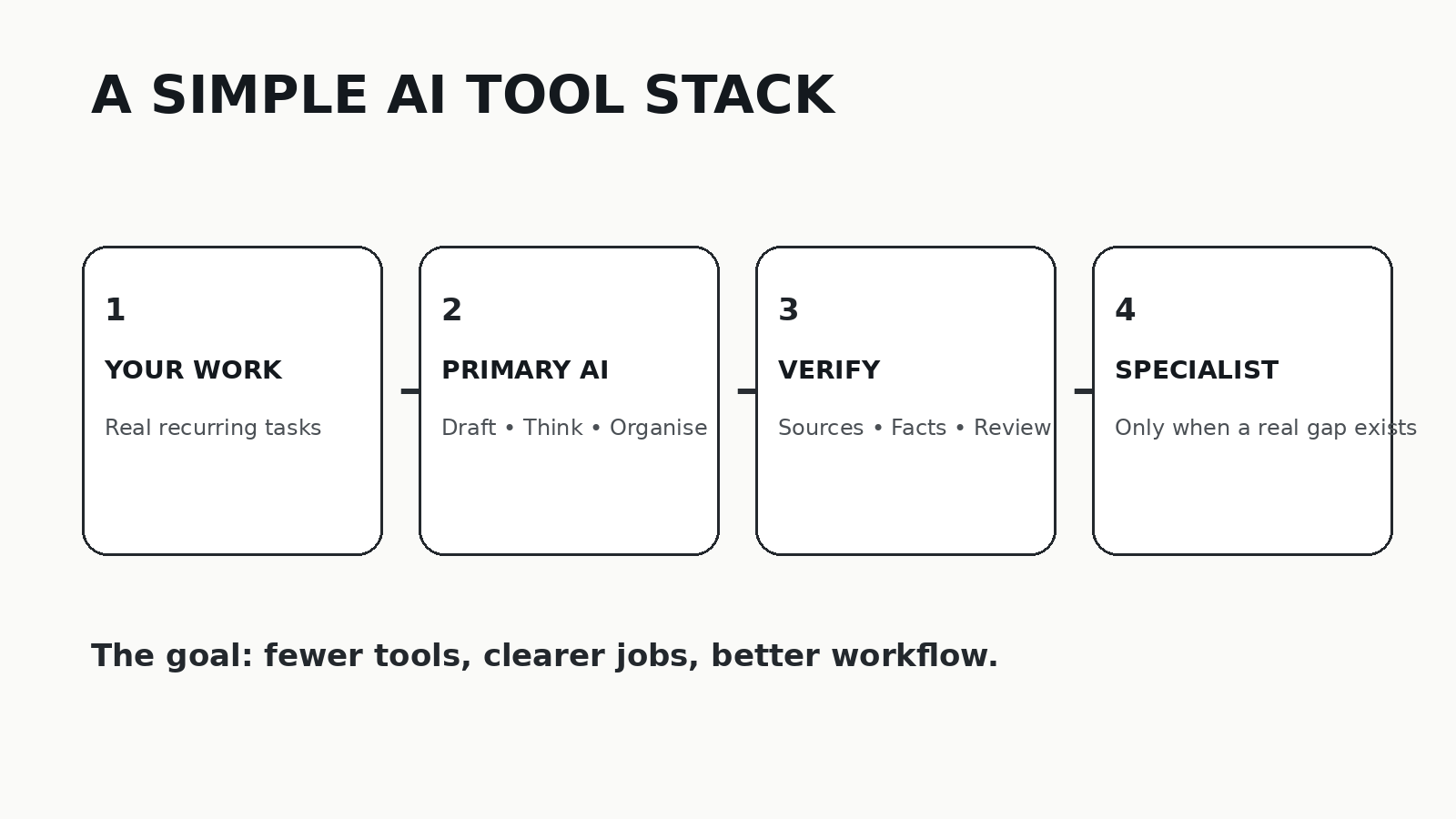
You can start with a simple exercise.
- List your ten most repetitive digital tasks.
- Circle the three that consume the most time.
- Identify which existing AI tools can help with those three.
- Choose one primary AI assistant.
- Add one specialist tool only if there is a clear gap.
- Create a verification step for important work.
- Write down every paid AI subscription and its monthly cost.
- Set a monthly review date.
That is enough to build a useful first version.
The Goal Is Not the Smallest Number of AI Tools
A minimal AI stack is not about winning a competition to see who can use the fewest applications.
The objective is low friction and high usefulness.
If three tools help you do your work substantially better, three tools are fine. If one tool handles nearly everything you need, that is fine too.
The best AI stack is the one that fits the way you actually work.
Quick AI Stack Checklist
- ☐ I know what tasks I want AI to improve.
- ☐ I have one primary AI assistant.
- ☐ Every additional tool has a specific purpose.
- ☐ I avoid paying for overlapping features.
- ☐ I verify important AI-generated information.
- ☐ I understand what information I am sharing.
- ☐ I review my subscriptions regularly.
- ☐ I can explain why every paid AI tool is worth its cost.
Final Thought
The AI industry will continue to produce new tools at a remarkable pace. You do not need to follow every launch.
Instead, build a small system around the work you actually do.
Use AI where it creates leverage. Keep human judgment where it matters. And make every tool earn its place.