
AI can help you work faster, but faster is not automatically better. If every task becomes an invitation to open another AI tool, answer another notification, or produce another piece of content, your productivity system can become a new source of stress.
The better goal is AI productivity without burnout: use artificial intelligence to remove unnecessary work while keeping human judgment, attention, creativity and responsibility at the center.
This guide gives you 13 practical rules for building that kind of system in 2026. You do not need dozens of applications. You need a small number of repeatable decisions about what AI should do, what you should do, and what should never be automated blindly.
1. Start With the Bottleneck, Not the AI Tool
A common mistake is choosing an AI application first and then searching for something to automate. Reverse that order.
Ask: What part of my work repeatedly consumes time without creating much value?
It might be summarizing long documents, turning notes into a first draft, researching background information, organizing ideas, creating variations of routine copy, or converting information from one format into another.
Once you know the bottleneck, choose the simplest AI-assisted workflow that addresses it. This prevents your productivity system from becoming a collection of subscriptions and experiments.
2. Give AI a Job Description
AI performs more consistently when its role is clear. Instead of saying “help me with this,” define the job.
- Researcher: identify relevant information and organize it.
- Planner: turn a large objective into practical steps.
- Editor: improve clarity while preserving your meaning.
- Brainstorming partner: generate alternatives that you can evaluate.
- Analyst: compare information and highlight patterns.
- First-draft assistant: produce a starting point that you will review.
A defined role also makes it easier to spot when AI has gone outside its useful boundaries.
3. Protect Your Attention
Productivity is not simply the number of tasks completed. Your ability to concentrate is a limited resource.
Do not turn AI into a permanent stream of interruptions. Batch AI-assisted work where possible. For example, instead of asking an assistant to process every message immediately, collect routine items and process them during a dedicated period.
Keep focused work separate from low-attention administrative work. The objective is to create more uninterrupted time, not merely to fill the same amount of time with more activity.
4. Automate Repetition, Not Responsibility
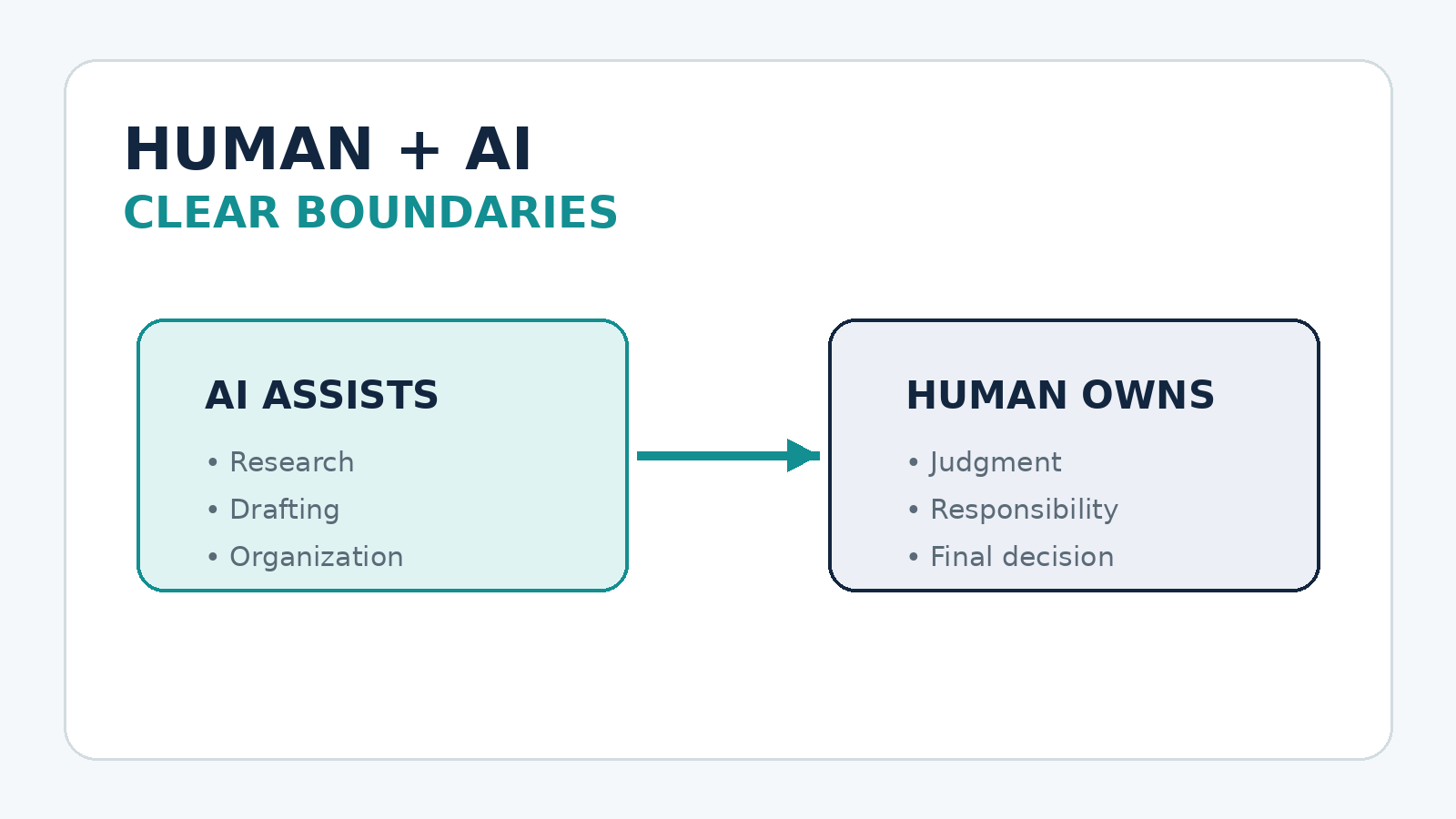
Good candidates for automation are repetitive and predictable tasks. Responsibility for important decisions is different.
AI can prepare a summary, organize information, suggest options or create a draft. You should remain responsible for decisions involving legal, financial, professional, personal or reputational consequences.
A useful rule is:
Automate the mechanical part. Keep the judgment part human.
5. Build a Human Review Step
One of the easiest ways to reduce AI-related mistakes is to make review an explicit stage of the workflow rather than something you remember to do when you have time.
For important outputs, check:
- Are the facts accurate?
- Did the AI misunderstand the task?
- Does the result actually answer the user’s or customer’s need?
- Is the tone appropriate?
- Is anything confidential or sensitive being exposed?
- Would you be comfortable taking responsibility for the final result?
For low-risk tasks, review can be quick. For high-risk tasks, it should be deliberate.
6. Create Reusable Prompt Templates
Repeatedly writing the same instructions wastes time. If you perform a task frequently, create a template.
A useful template can contain:
- the role AI should take;
- the task to perform;
- the context it needs;
- constraints it must follow;
- the desired output format;
- quality checks it should perform before finishing.
Templates turn AI from something you “chat with” into a repeatable work component.
7. Give Better Context Before Asking for Better Output
Many disappointing AI results are really context problems.
Before requesting an important output, provide the information that changes the answer. Explain the audience, objective, constraints, source material, tone and definition of success.
You can also tell the AI what not to do. For example: “Do not invent statistics,” “Do not change the legal meaning,” or “Do not make the copy sound exaggerated.”
The more consequential the task, the more important good context becomes.
8. Keep One Source of Truth
AI productivity becomes confusing when important information is scattered across multiple conversations, documents and applications.
For recurring projects, maintain a reliable source of truth containing the current facts, decisions, terminology, links, instructions and important constraints.
Then use AI to work from that material rather than repeatedly rebuilding the context from memory.
9. Measure Time Saved, Not AI Activity
It is easy to mistake AI activity for productivity. Generating 30 drafts is not useful if you only needed one.
Measure outcomes such as:
- minutes saved on a recurring task;
- turnaround time;
- number of errors caught before delivery;
- quality of the final output;
- time returned to higher-value work;
- stress or friction removed from the workflow.
If an AI workflow saves five minutes but creates ten minutes of checking and correction, it is not actually saving time.
10. Use AI to Increase Capacity, Not Expectations
This is one of the most important rules for avoiding burnout.
If AI helps you finish a task twice as quickly, you do not automatically need to produce twice as much. Some of the benefit should become capacity: time for thinking, learning, recovery, quality control or work that was previously impossible to fit into the day.
Otherwise, productivity technology simply raises the amount of work expected from you.
11. Keep an AI Boundary Around Your Personal Time
A productive system needs an off switch.
Decide when AI-assisted work ends for the day. Disable unnecessary notifications. Avoid creating workflows that encourage you to monitor business activity continuously.
The point of automation is to reduce the need for constant attention. If you have to keep checking your automated system every few minutes, the system needs redesigning.
12. Improve One Workflow at a Time
Do not redesign your entire life around AI in a weekend.
Choose one recurring task. Establish the current process. Add AI to one part of it. Measure the result. Fix the weak points. Then decide whether it deserves to become a standard workflow.
This gradual approach makes it easier to understand what genuinely works and prevents tool overload.
13. Keep Learning the Skill Behind the Tool
AI tools will change. The underlying skills remain valuable.
If you use AI for writing, continue learning how to write. If you use it for research, continue learning how to evaluate sources. If you use it for analysis, understand the assumptions behind the numbers. If you use it for business decisions, understand the business itself.
The durable advantage is not knowing where every button is. It is knowing what good work looks like and using AI to help you produce it more efficiently.
A Simple AI Productivity Workflow
You can put the 13 rules into a simple five-stage loop:
- Plan: define the outcome and identify the bottleneck.
- Delegate: decide which mechanical or research-heavy parts AI can assist with.
- Generate: give AI enough context and produce a first result.
- Review: verify facts, quality, relevance and risk.
- Improve: turn successful steps into a reusable template or process.
Then repeat the loop only when there is a genuine reason to improve the workflow.
What Not to Automate Blindly
Some activities deserve extra caution. Do not assume an AI output is correct simply because it sounds confident.
Use stronger human oversight for decisions involving people’s rights, money, health, legal obligations, employment, confidential information, security or significant reputation.
For these tasks, AI can often be useful as a research, organization or drafting assistant, but the final responsibility should remain with an appropriately informed human.
The Real Meaning of AI Productivity
AI productivity is not about doing everything faster. It is about spending more of your limited time on work that actually matters.
The best system may produce fewer outputs than an aggressive automation system. That can be a feature, not a failure. If it gives you better decisions, fewer repetitive tasks, more focused work and more room to recover, it is doing its job.
Start with one bottleneck this week. Give AI a clearly defined role. Add a review step. Measure the actual time and quality impact. If the result is genuinely better, keep it. If it creates more complexity than value, remove it.
Work smarter with AI, but do not let AI become another reason you never stop working.
Explore More Practical AI Skills
If you want to build practical AI workflows for writing, research, freelancing, content creation and everyday productivity, explore the AI Skills collection on HICONY Store.
For example, you may also find useful guides such as AI Boost: Deliver More Value to Clients Faster and How to Research a Client Fast Before a Call With AI.