
AI Agents in 2026: How to Build an AI-Powered Workflow Without Losing Control
AI agents are changing the way people use artificial intelligence. A chatbot waits for a prompt and usually returns an answer. An agent can be given a goal, access to tools, a set of instructions and enough context to work through multiple steps.
That distinction matters in 2026 because the useful question is no longer simply, “Which AI tool should I use?” A better question is: “Which parts of my workflow should AI execute, which parts should AI assist with, and which decisions should remain mine?”
That is the difference between casually using AI and deliberately designing an AI-powered workflow.
Recent industry research points in the same direction. Microsoft’s 2026 Work Trend Index describes a shift toward agents taking on execution while people retain agency, judgment and responsibility. OpenAI has also reported growing use of agentic systems for longer, multi-step tasks, including work outside traditional software development. Google Cloud similarly describes agentic workflows as a major direction for business automation. [1][2][3]
This guide explains how to use that shift practically without turning your business or personal workflow into an uncontrolled collection of bots.
What Exactly Is an AI Agent?
An AI agent is a system designed to pursue a task or goal through multiple steps rather than simply producing one response. Depending on the system, an agent may be able to search information, read files, use software tools, write or modify documents, analyze data, call APIs, check its own work and continue until a defined outcome is reached.
A useful mental model is:
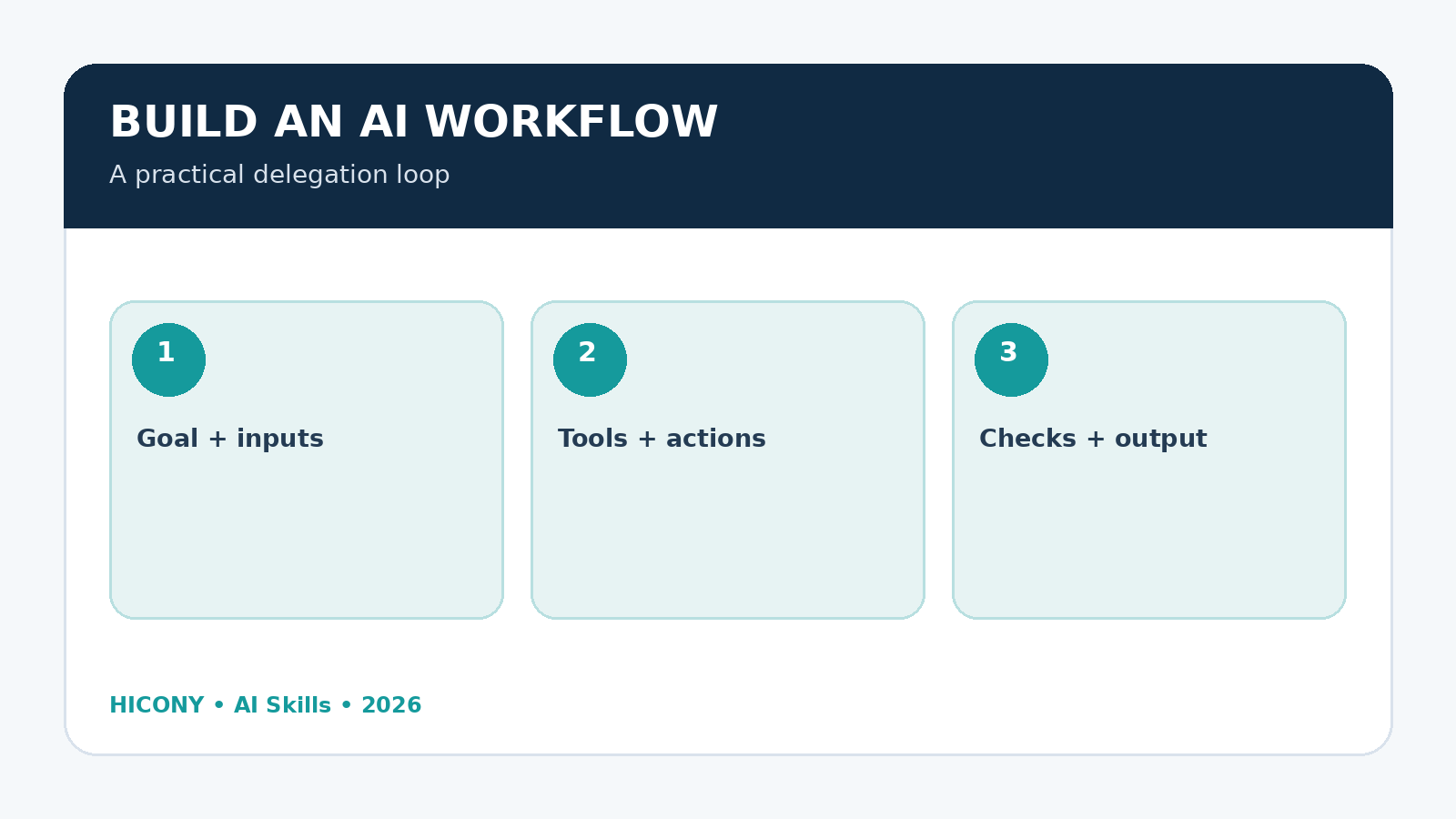
Goal → Plan → Tools → Actions → Checks → Result
A normal chatbot interaction might look like this:
- You ask a question.
- The AI generates an answer.
- You decide what to do next.
An agentic workflow can look more like this:
- You define the desired outcome.
- The AI breaks the outcome into tasks.
- It gathers the required information.
- It performs permitted actions.
- It checks intermediate results.
- It prepares the final output.
- You review or approve important actions.
The important change is delegation. Instead of asking AI to help with every individual step, you can delegate a meaningful chunk of work.
Why AI Agents Matter More Than Another List of AI Tools
The AI market has produced thousands of applications. It is tempting to keep collecting tools: one for writing, one for research, one for images, one for automation, another for email and another for analytics.
But collecting tools does not automatically create productivity.
In fact, too many disconnected tools can create a new form of work: deciding which tool to use, moving information between tools, checking inconsistent outputs and maintaining automations that nobody fully understands.
Agentic workflows approach the problem from the opposite direction. Start with the outcome and design the process around it.
For example, instead of saying:
“I need an AI writing tool.”
define:
“Every week I want to identify useful topics, research them, create a high-quality article, prepare SEO information, create supporting visual concepts, check the article for factual weaknesses, and prepare it for publication.”
Now you have a workflow that can potentially contain several AI-assisted stages.
AI Agent vs. Chatbot: The Practical Difference
| Chatbot | AI Agent |
|---|---|
| Usually responds to a prompt | Works toward a defined goal |
| Often handles one interaction at a time | Can handle multiple steps |
| User frequently drives the process | AI can drive parts of the process |
| Limited or optional tool use | Designed around tools and actions |
| Good for brainstorming and answers | Useful for repeatable workflows |
| Human decides the next step | AI can determine permitted next steps |
The boundary is not absolute. Modern AI assistants can behave in increasingly agentic ways, and many products use the word “agent” differently. What matters operationally is whether the system can plan, use tools, take actions and continue through a multi-step task.
The 5 Levels of AI Delegation
You do not need to jump immediately from chatbot use to fully autonomous agents. A safer approach is to increase delegation gradually.
Level 1 — AI as a thinking partner
You remain responsible for almost everything. AI helps you brainstorm, explain, compare, summarize or draft.
Best for: learning, planning, writing, idea generation and early research.
Level 2 — AI as a specialist
You give AI a clearly defined role such as editor, analyst, researcher, SEO reviewer or customer-support drafter.
Best for: repeatable expert tasks with a human final decision.
Level 3 — AI as a workflow assistant
AI performs several connected steps and prepares an output for you to approve.
Best for: content production, reporting, research packets, data cleanup and routine business operations.
Level 4 — AI as an execution agent
The system can use approved tools and take actions without asking you after every small step.
Best for: low-risk, reversible operations with clear rules.
Level 5 — AI as an orchestrated system
Multiple specialized agents or automated components cooperate. One may research, another analyze, another draft, and a final component check the result.
Best for: mature workflows where the process has already been tested and measured.
Where AI Agents Can Create Real Value
1. Research
An agent can gather information from approved sources, organize it, identify gaps and prepare a research brief. The human still needs to verify important claims, especially in legal, financial, medical or other high-stakes contexts.
2. Content production
A content workflow can move from topic discovery to research, outline, drafting, editing, SEO preparation and publication preparation. The strongest approach is not “generate as much content as possible.” Google explicitly emphasizes helpful, reliable, people-first content and warns against producing large amounts of automated material primarily to manipulate search rankings. [4]
3. Customer support
AI can classify incoming questions, retrieve approved information, draft responses and route unusual cases to a human.
4. Data analysis
AI can clean data, identify patterns, produce preliminary analysis and explain unusual changes. Human review is still essential when the result affects money, compliance or important decisions.
5. Administrative work
Agents can prepare meeting summaries, organize information, create follow-up lists and draft routine communications.
6. Software and technical work
Agentic coding systems can work through multi-step technical tasks such as debugging, transforming data, writing tests or preparing changes. OpenAI reported in 2026 that agentic coding use had expanded beyond engineering into functions such as legal, finance and recruiting, illustrating how the technology is moving beyond traditional developer use. [2]
The Most Important Skill: Knowing What NOT to Delegate
This is where many AI strategies go wrong.
More automation is not automatically better.
If an AI agent spends ten minutes producing an answer that takes you two minutes to verify and correct, you have not saved time. You may have created additional work.
There is also a quality problem. AI can produce fluent text that looks finished before it is actually correct. The more autonomous the system becomes, the more important it is to design meaningful checkpoints.
Microsoft’s 2026 research found that AI users increasingly identify quality control and critical thinking as important human skills, while many users say they treat AI output as a starting point rather than a final answer. [1]
A useful rule is:
Delegate execution more readily than judgment.
Let AI collect, organize, transform, compare and prepare. Be much more careful about delegating decisions that affect rights, money, reputation, safety, legal obligations or irreversible actions.
A Simple Human-in-the-Loop Model
For most small businesses and individual professionals, the best starting architecture is not “fully autonomous AI.” It is human-supervised automation.
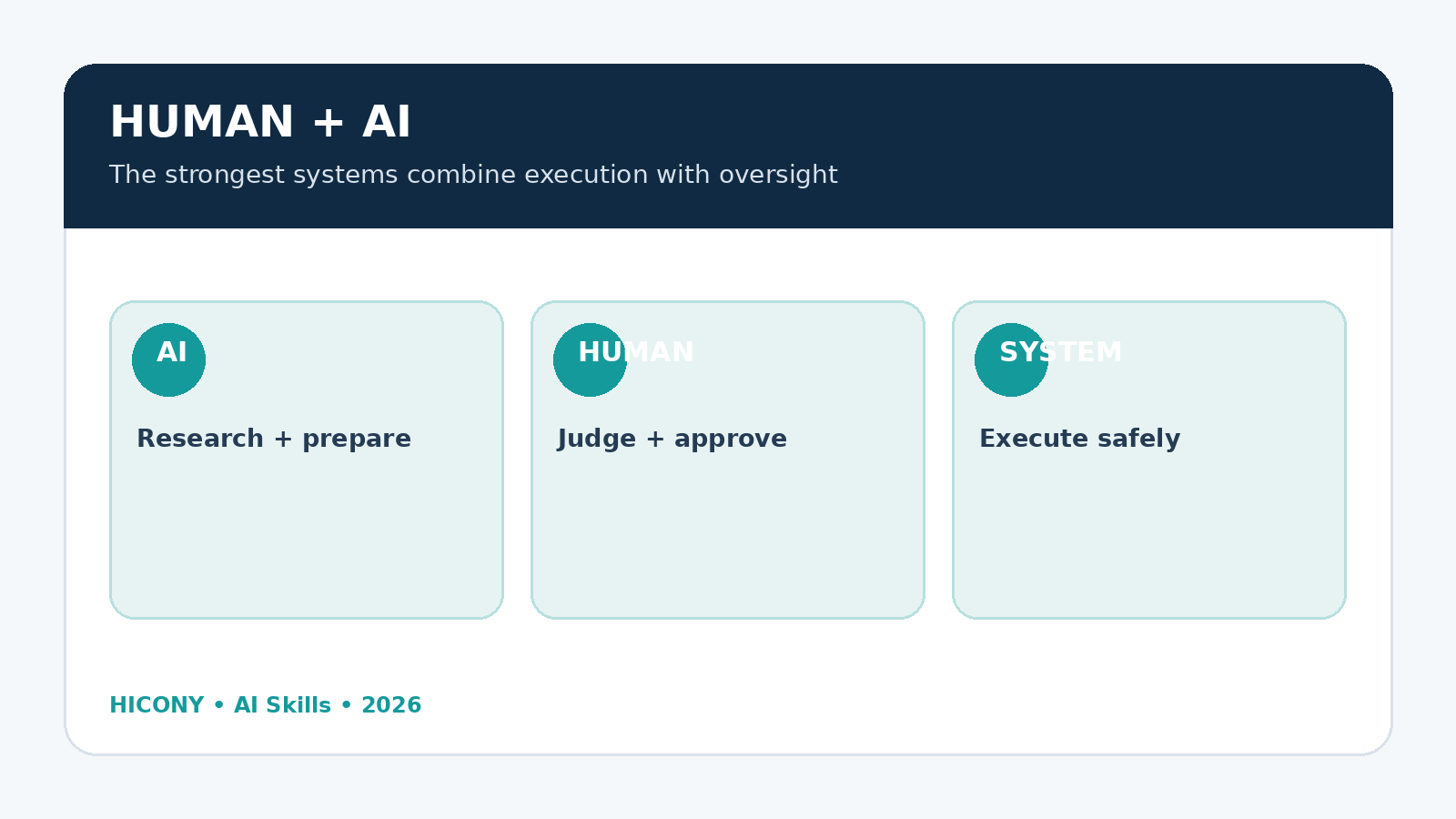
- AI prepares: research, analysis, draft or proposed action.
- AI checks: obvious errors against defined rules.
- Human reviews: important facts, judgment and consequences.
- Human approves: irreversible or high-impact actions.
- System executes: only after approval where appropriate.
This design gives you most of the efficiency benefits without pretending that an AI system is an infallible employee.
How to Build Your First AI Agent Workflow
Step 1: Choose one repetitive problem
Do not begin with “automate my business.” Pick one process that happens regularly and has a measurable output.
Good examples:
- Weekly content research
- Lead research before a sales call
- Customer-question classification
- Weekly business reporting
- Document summarization
- SEO content quality checks
- Product-description preparation
Step 2: Write the process manually
List the actual steps you perform today. This often reveals unnecessary work before AI is introduced.
For example:
- Find topic.
- Research sources.
- Extract useful facts.
- Create outline.
- Draft.
- Check claims.
- Edit.
- Create SEO fields.
- Prepare image information.
- Publish.
Step 3: Mark every step as human, AI-assisted or AI-executable
Use three labels:
- H: Human decision or approval.
- A: AI can assist but should not decide alone.
- E: AI can execute under defined rules.
For example, research might be A, drafting might be A, formatting might be E, and final publication might remain H until the system has been tested.
Step 4: Define the agent’s boundaries
A useful agent instruction should specify:
- Its objective
- What information it may use
- Which tools it may access
- What it must never do
- When it should ask for human approval
- What a successful result looks like
- How errors should be reported
Step 5: Give it a structured output
Do not ask an agent to “do something useful.” Define the expected output.
For example:
Return:
1. Objective
2. Sources checked
3. Key findings
4. Recommended action
5. Unverified claims
6. Risks or uncertainties
7. Human approval required: YES/NO
Structured outputs make automation easier to inspect and debug.
Step 6: Add a stop condition
This is one of the most overlooked parts of agent design.
An agent should know when it is finished.
Examples:
- Stop when all required fields are complete.
- Stop when three independent sources have been checked.
- Stop when confidence falls below the defined threshold.
- Stop when a restricted action is requested.
- Stop when human approval is required.
Without a clear stop condition, autonomous systems can waste time, repeat actions or create unnecessary tool usage.
A Practical Agent Prompt Template
You can use the following structure when designing an AI workflow:
ROLE
You are an AI workflow agent responsible for [specific task].

OBJECTIVE
Complete [specific outcome].

INPUTS
You may use:
- [approved source]
- [approved file]
- [approved system]

PROCESS
1. [Step]
2. [Step]
3. [Step]
4. Check your work against [criteria].

RULES
- Do not invent missing information.
- Clearly label uncertainty.
- Do not take irreversible actions without approval.
- Do not expose confidential information.
- Stop if required information is missing.

HUMAN CHECKPOINT
Request approval before:
- [high-impact action]
- [external communication]
- [financial action]
- [publication]

OUTPUT
Return:
- Completed work
- Sources used
- Uncertainties
- Recommended next action
- Approval required: YES/NO

STOP CONDITION
Stop when [specific condition] is satisfied.
Should You Build One Agent or Several?
Start with one.
Multiple agents sound impressive, but they introduce communication problems. If Agent A makes a mistake and Agent B trusts it, the error can propagate through the entire workflow.
A multi-agent system becomes useful when the tasks genuinely require different capabilities or independent checks.
For example:
- Research agent: gathers and organizes evidence.
- Analysis agent: identifies patterns and weaknesses.
- Writer: turns verified material into a readable draft.
- Quality agent: checks factual consistency, structure and requirements.
- Human: approves the final result.
The important point is that specialization should reduce errors, not simply increase the number of AI components.
The Hidden Cost of AI Agents: Supervision
Autonomous systems still need maintenance.
Websites change. APIs change. permissions expire. Source formats change. Models change. Business rules change. A workflow that worked perfectly last month may produce different results after an important system update.
That means the real cost of an agent is not only its subscription or API usage.
You should also consider:
- Setup time
- Testing
- Monitoring
- Error correction
- Tool maintenance
- Security reviews
- Human verification
- Opportunity cost when the workflow fails
This is why a small, reliable automation can be more valuable than a complicated “AI workforce” containing dozens of agents.
Security Rules You Should Never Skip
1. Give the agent the minimum permissions it needs
If an agent only needs to read a document, do not give it permission to delete documents.
2. Separate preparation from execution
For sensitive workflows, let AI prepare an action first. Require approval before execution.
3. Protect confidential information
Do not automatically send private client information, passwords, financial records or sensitive legal material into an AI workflow without understanding the system’s data handling and permissions.
4. Keep logs
For important workflows, record what the system did, what information it used and what human approved the final action.
5. Make actions reversible where possible
A draft email is safer than an automatically sent email. A draft WordPress post is safer than immediate publication. A proposed financial transaction is safer than an automatic transfer.
How AI Agents Change SEO and Content Creation
AI agents make it extremely easy to produce content at scale. That is precisely why content quality and originality matter more.
Google’s guidance emphasizes content created primarily for people, with useful information, depth, original analysis and a satisfying experience. It specifically warns against producing large amounts of automated content across topics simply in the hope that some pages rank. [4]
For a site such as Hicony, the opportunity is therefore not to publish hundreds of shallow AI articles. A better strategy is to use AI behind the scenes while making the final article genuinely useful.
A strong AI-assisted content workflow might be:
- Identify a real reader problem.
- Research the subject.
- Collect authoritative sources.
- Find gaps in existing explanations.
- Develop an original angle.
- Draft the article.
- Challenge weak claims.
- Add examples, checklists or frameworks.
- Improve readability.
- Prepare SEO metadata.
- Human-review the final article.
This approach turns AI into a research and production partner rather than a machine for generating generic pages.
Five AI Agent Workflows You Can Build This Month
Workflow 1: The Weekly Research Agent
Input: a topic or business area.
Output: a concise research brief containing current developments, important sources, practical implications and questions worth investigating.
Workflow 2: The Content Quality Agent
Input: a draft article.
Output: factual gaps, unclear sections, missing examples, repetitive passages, weak headings and suggestions for improvement.
Workflow 3: The Lead Research Agent
Input: a company or prospective client.
Output: company background, relevant public information, likely needs, questions to ask and a personalized pre-call brief.
Workflow 4: The Business Report Agent
Input: weekly sales, traffic, advertising and operational data.
Output: key changes, anomalies, likely causes, risks and recommended questions for the owner.
Workflow 5: The Publishing Preparation Agent
Input: finished article.
Output: SEO title, focus keyword, supporting keywords, slug, meta description, excerpt, image ALT text, internal-link suggestions and a publication checklist.
If you are exploring practical AI workflows, you can also see the broader AI Skills collection on HICONY Store and the AI workflow guide for delivering more value to clients.
A Simple ROI Test for Any AI Agent
Before keeping an automation, calculate its real value.
Net value = time saved + quality/value created – AI cost – supervision cost – error cost
Suppose a workflow saves you five hours a week. That sounds excellent.
But if it takes two hours a week to check, repair and maintain, the real saving is three hours.
Now suppose a single serious mistake costs five hours to fix. The automation may need better controls before it is worth using.
Do not measure AI by how impressive the demonstration looks. Measure it by what happens repeatedly in the real workflow.
The Future-Proof AI Skill Is Workflow Design
AI models will continue to change. Individual tools will disappear, merge or become obsolete. The durable skill is learning how to decompose work into tasks, identify constraints, define good outputs, choose appropriate tools and place human judgment at the right points.
That is why “prompt engineering” alone is becoming too narrow a concept.
The more valuable skill is AI workflow engineering for knowledge work: understanding what should happen, what information is needed, what AI can safely do, how results should be checked and where responsibility must remain with a human.
Final Checklist: Is Your AI Agent Ready?
- ☐ The objective is specific.
- ☐ The workflow has defined inputs and outputs.
- ☐ The agent has only the permissions it needs.
- ☐ Sensitive information is protected.
- ☐ Important claims can be checked.
- ☐ There is a clear stop condition.
- ☐ There is a human checkpoint for high-impact actions.
- ☐ Errors are visible rather than silently ignored.
- ☐ The workflow is reversible where possible.
- ☐ You can measure whether it actually saves time or creates value.
Conclusion
AI agents are not simply better chatbots. They represent a change in how work can be organized: from asking AI individual questions toward delegating carefully defined pieces of a workflow.
But the smartest approach is not maximum autonomy. It is appropriate autonomy.
Let AI handle repetitive execution, information processing and structured preparation. Keep humans responsible for judgment, accountability, sensitive decisions and final ownership of important outcomes.
The winners in this next stage of AI will not necessarily be the people who use the most agents. They will be the people who understand where an agent creates leverage, where it creates risk, and where human thinking remains the most valuable part of the system.